Step 1 open your computer and set password
Step 2 Then restart computer forcefully with power button
Step 3 You will get this screen for launch repair
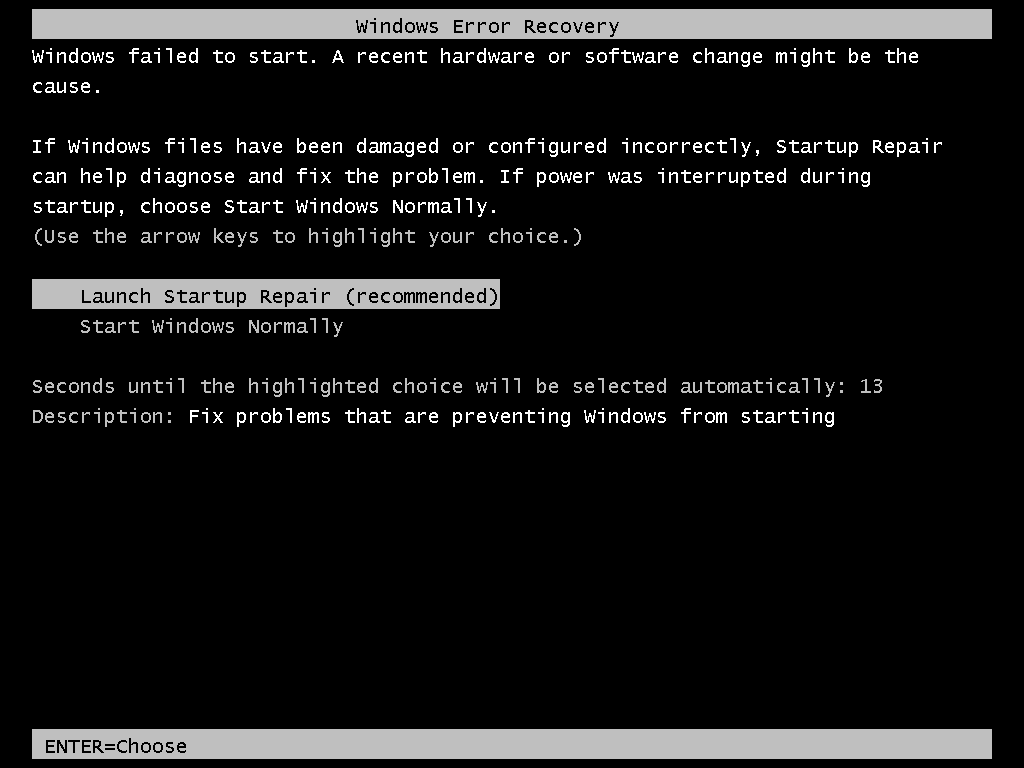
Step 4 Let the repair and cancel from the process
Step 5 When you get this window click on show and scroll down and click on a lick it will give you notepad
Step 6 go to file and click on open it will give you explorer windows
Step 7 go to c drive and find windows/system32
Step 8 change name of CMD.exe and replace with sethc.exe
Step 9 same with sethc.exe with cmd
Step 10 now restart your computer and when u get login screen hit shift key 5 time
Step 11 when you get CMD run command localgroup administrator
Step 12 now run command to change user password which you want net user username /password
Step 13 now you can login in that system with that user
Thanks
source www.techworm.net
Let
the repair go through. If you get this window, select “Cancel.” - See
more at:
http://www.techworm.net/2015/02/log-administrator-account-windows-pc-image-tutorial.html#sthash.pGFCcKLn.dpuf
Let
the repair go through. If you get this window, select “Cancel.” - See
more at:
http://www.techworm.net/2015/02/log-administrator-account-windows-pc-image-tutorial.html#sthash.pGFCcKLn.dpuf
WARNING:
I am NOT responsible for any expulsions or such if you do this at
school/work! First, restart your computer. - See more at:
http://www.techworm.net/2015/02/log-administrator-account-windows-pc-image-tutorial.html#sthash.pGFCcKLn.dpuf
WARNING:
I am NOT responsible for any expulsions or such if you do this at
school/work! First, restart your computer. - See more at:
http://www.techworm.net/2015/02/log-administrator-account-windows-pc-image-tutorial.html#sthash.pGFCcKLn.dpuf


